This post contains affiliate links. We may earn a small commission when you buy through our links — at no extra cost to you.
Corals don’t eat so much as farm. The zooxanthellae living inside their tissue convert light into food, which means the fixture hanging over your tank isn’t just decoration — it sets the ceiling on how your corals color up and how quickly they grow. The catch is that two lights with nearly identical spec sheets can produce very different tanks, and the gap usually shows up four months in, not on day one.
I’ve kept reef tanks long enough to learn that raw intensity without the right spectrum mostly grows algae faster. Over the past 10 months, my team and I have lived with 7 fixtures over a mixed reef, a nano cube, and a frag rack — measuring output, programming schedules, and generally fussing with them — and the ones worth your money got the basics right: honest brightness, a mount that doesn’t sag, and a timer you can set once and forget. The picks below are the ones that held up.
Our Top Picks
The Best Reef Lighting, Reviewed
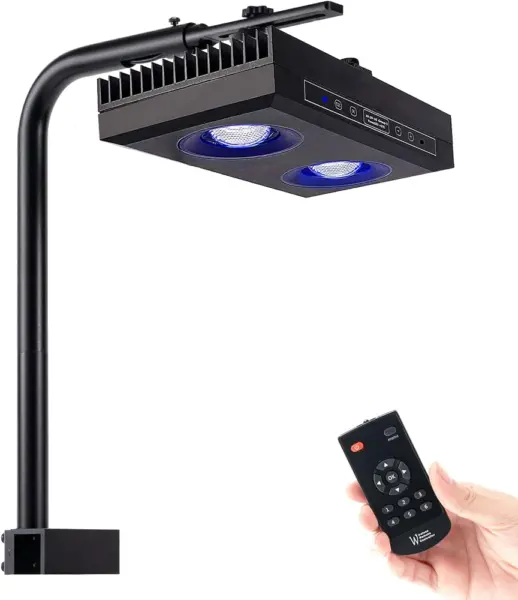
SMATFARM G5 95W – Best Overall
Key Features
- Power: 95 watts
- Control: Touch, remote, group control
- Beam angle: 120 degrees
- Color temperature: 14,000 K
- Price: Midrange
The premium fixtures in this guide cost multiples of what the G5 does, and in a mixed reef we do not think you give up much. Twenty-four LEDs behind a 120-degree lens put out 9,500 lumens at 14,000 K, and the spectrum is what won us over: corals that looked flat under a plain blue-and-white bar picked up color and stayed colored. If the premium puck here is more than you want to spend, this fixture makes that compromise look small.
Control is where it separates from the budget end. A touch panel on the fixture plus a remote covers dimming, and the built-in sunrise-to-sunset and moonlight cycles mean you can run a photoperiod without buying a controller or opening an app. The master-slave mode matters if you spread two or three units across a long tank: set one and the rest follow it, which is the closest thing to a whole-tank system at this level.
Mounting is the part to think through before you order. The aluminum bracket clamps to the back of the tank and holds fine on a rimless 24-inch cube, but the fixture has some heft, and on deeper or braced tanks the arm can droop enough to tilt the beam off center. Hanging it fixes that, and the fan stays under the listed 44.7 dB, quiet enough that you forget it is running during a film. On a four-foot tank, one unit gets you started; two is the honest answer for even coverage.
Pros
- Spectrum that holds color on LPS and SPS
- Touch and remote scheduling with no extra hardware
- Master-slave group control for multi-unit tanks
- Fans that stay out of the way in a living room
Cons
- Schedule programming takes practice
For a mixed reef from nano to about four feet, this is the light we tell people to buy: strong spectrum, easy scheduling, no extra controller.
NICREW HyperReef 200 Gen 2 – Best for Large Tanks
Key Features
- Power: 200 watts
- Control: Touch; USB-C controller port
- Mounting: Mount system included
- Warranty: 1 year limited
- Price: Premium
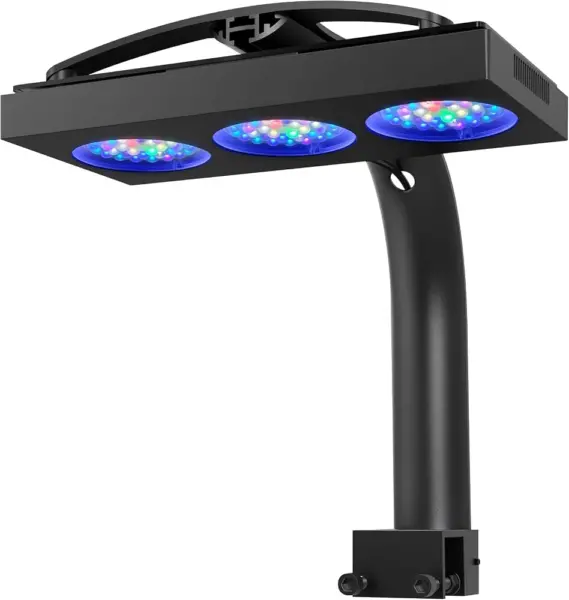
Two hundred watts over a deep tank is a different proposition from the 60- and 95-watt fixtures here, and this is the one to look at when the corals are halfway down the rockwork rather than a few inches under the surface. NICREW builds it around a wide-angle optical system instead of a tight lens, so the output spreads across the footprint rather than punching a hotspot into the center brace.
What we appreciate most is how little drama the output creates. The enhanced violet-and-blue spectrum keeps acropora color without washing the tank into a blue haze, and the redesigned heatsink plus fan are doing genuine work at this wattage, so leave a few inches of clearance above the unit. The mount ships in the box and handles rimmed, rimless and Euro-braced tanks, which spares you an extra purchase, and build quality reads a step above the budget fixtures here.
The catch is control. Out of the box you get touch operation; the two USB-C ports take NICREW’s controller, sold separately, and that is what unlocks full scheduling and per-channel customization. Budget for it. For a large tank where power and spread matter more than a phone app, the total still lands well below the premium puck.
Pros
- 200 watts of headroom for deep tanks
- Wide-angle optics spread light without hotspots
- Mount fits rimmed, rimless and Euro-braced tanks
- Build that reads above the budget tier
Cons
- Full control needs a separate controller
The fixture we point at for a four-foot or deeper SPS tank: 200 watts, even spread and a mount in the box, as long as you budget for the controller.
VIPARSPECTRA V165 – Best Value
Key Features
- Control: Remote, dial, built-in timer
- Coverage: 24 x 24 in
- Mounting: Hanging kit included
- Dimmable channels: 2, 0 to 100%
- Price: Midrange
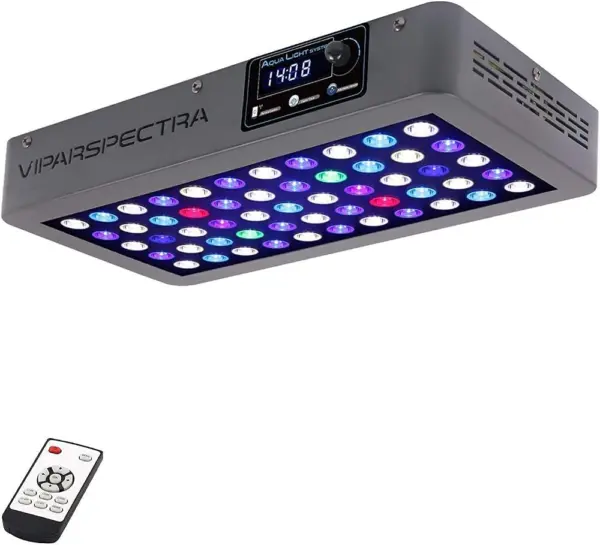
The timer is the part of the V165 that will try you. It is set through the remote or the dial on the fixture, the steps are not obvious, and getting both channels to come on and go off on a schedule is where this design shows its age. We still rank it as the value pick of this group, because nothing else here delivers this much coral-growing output for the outlay.
What the money buys is a genuinely powerful fixture: two channels dimmable from nothing to full, a 24-by-24-inch footprint from one unit, and a hanging kit in the box. There is enough blue to keep LPS and SPS happy and enough white that the tank does not look like a nightclub at noon. Corals grow under it, from zoanthids to mixed SPS, and that is the thing a light has to do.
Go in knowing that a channel can quit, which is the failure worth understanding before you order, so buy from a seller with a straightforward return path. Do that and the arithmetic still works: for a first reef, a frag tank, or a build where the light budget is the binding constraint, this remains the fixture we keep recommending.
Pros
- Serious coral-growing output at the entry price
- Two independently dimmable channels
- A 24 x 24 inch footprint from one unit
Cons
- Hangs from the ceiling; no tank bracket
- No app or network control
It grows coral for less than anything else here, and we recommend it to anyone whose budget is fixed and whose patience for a fiddly timer is not.
NICREW NavaReef 65W – Best for Lps and Soft Corals
Key Features
- Power: 65 watts
- Mounting: Tank mount included
- Beam angle: 90 degrees
- Wavelength focus: 440 to 480 nm
- Price: Midrange
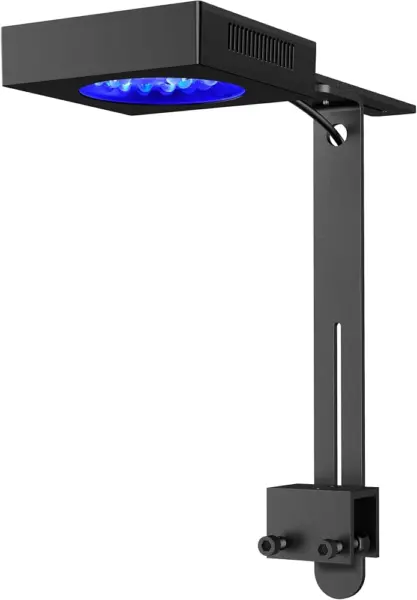
NICREW aims the NavaReef’s output at 440 to 480 nanometers — the blue and violet band that drives coral fluorescence — instead of spreading a full white spectrum across the tank. The 90-degree lens concentrates that into a beam that reaches the bottom of a deeper cube, which is exactly where a soft-coral and LPS tank needs it rather than at the surface.
In a 24- to 36-inch tank this is the light we reach for when the goal is color rather than maximum growth. The mounting arm is included and clamps to rimmed or rimless glass, the cooling is quiet enough to forget about, and the shimmer across the sand is the kind of detail that makes an open-top tank worth having. Set the timer once and the on-and-off cycle runs itself.
Pros
- Blue and violet output that makes LPS pop
- 90-degree lens reaches deeper into a cube
- Tank mount included for rimmed or rimless glass
- Cooling quiet enough to forget
Cons
- Color tuning requires NICREW’s separate controller
The pick for a soft-coral or LPS tank where color and a tidy mount matter more than raw wattage, and where you will spring for the controller.
AquaIllumination Prime 16 HD – Best Premium Small Light
Key Features
- LEDs: 16
- Power: 55 watts
- Control: myAI and Mobius apps
- Mounting: Not included
- Price: Premium
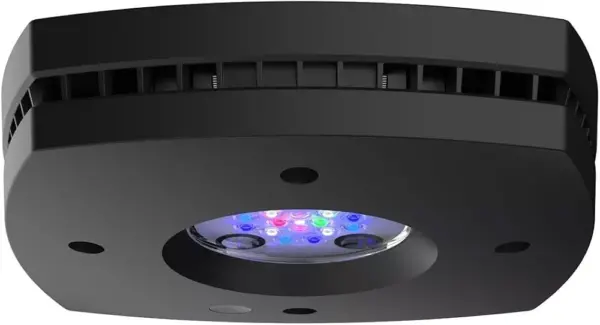
The box holds a light and a power cable. That is it. No arm, no bracket, no clamp — the Prime 16 HD expects you to buy a mount or hang it, and that is a real line to add to an already premium fixture. Check what the mounting option costs for your tank before you commit.
What the money buys is hardware and software. Sixteen LEDs in a 4.8-inch square, with HD power reallocation that pushes unused channel power into whichever colors you are running, plus a dedicated moonlight channel for the evening. In hand it feels like a machined object rather than a molded shell, which is part of what separates it from the black-box fixtures here.
The myAI and Mobius apps are the other half of the argument. You get spectral presets, ramp timers, acclimation modes and saved schedules, and the difference between that and tapping a remote is the difference between tuning a light and tolerating one. Build quality drew consistent praise and the app drew none of the complaints that hang around the budget apps in this group.
The app is the part we keep coming back to: change the ramp without standing over the tank, save a look, return to it next month. Fifty-five watts over a small footprint will not carry a four-foot SPS system, so treat it as a display light. On a nano or a small cube where the tank is furniture as much as habitat, it is the fixture that makes the setup feel finished.
Pros
- App control with real spectral depth
- Build quality that feels premium in hand
- Dedicated moonlight channel
- Power reallocation brightens the channels you run
Cons
- Mount sold separately
- 55 watts suits a small tank only
If the tank is small, on display all evening, and you enjoy tuning a schedule, this is the premium fixture that earns its price.
Hipargero A100 – Mid-Size Mixed Reef
Key Features
- Power: 100 watts
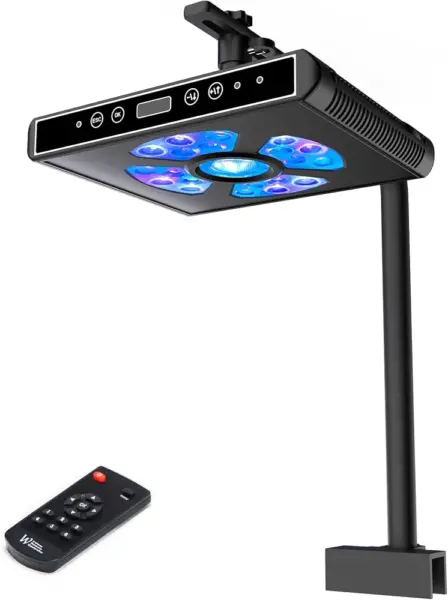
- Control: OLED screen, remote, touch
- Channels: 5, independently dimmable
- Coverage: 16 to 24 in
- Price: Midrange
Five channels, an OLED screen and a remote — this is the most hands-on control at the midrange end of this guide, and the display is what makes it workable. It shows the channel and the percentage, so building a schedule is a matter of reading rather than remembering a sequence of button presses in the dark.
At 100 watts over roughly a 16- to 24-inch spread it suits a three-foot mixed tank, with enough headroom to run SPS high on the rockwork and LPS lower down. It also has the best reliability story of the mid-priced fixtures here, and the presets give a beginner somewhere sensible to start before they begin trimming individual colors.
Fit is the caveat worth checking first. The bracket is built around standard rim thickness, and on a thick trimmed tank it can sit loose or refuse to clamp down cleanly. Measure the rim before you buy, and if yours is heavy, plan to hang the fixture instead — the light itself rewards the trouble.
Pros
- Five channels tunable individually
- OLED screen shows settings at a glance
- Best reliability story among the mid-priced picks
- Presets give beginners a starting point
Cons
- Bracket sits loose on thick rims
A strong mid-priced option for someone who wants to tune five channels by hand and will measure their tank rim before ordering.
PopBloom RL60 65W – Best for Nano and Aio
Key Features
- PAR: 130+ at 20 in
- Power: 65 watts
- Tank fit: 20 to 36 in
- Warranty: 2 years
- Price: Budget
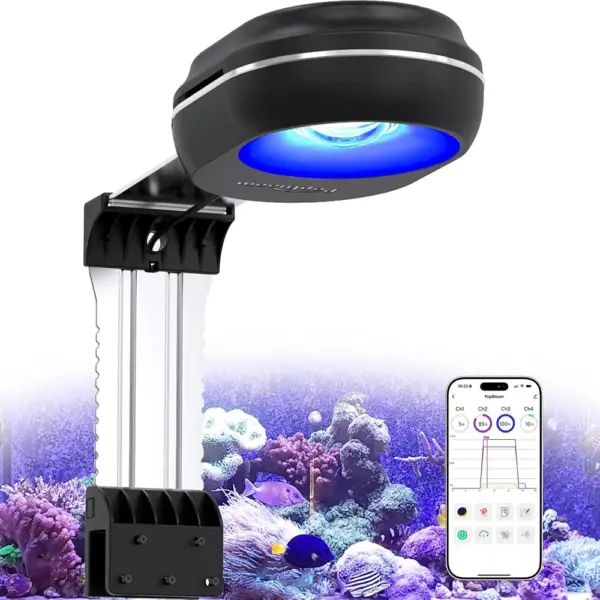
Two years. That is the longest warranty in this guide by a full year, and on a light that sits over saltwater it is not a small detail, because corrosion and fan wear are what end most reef fixtures. A company willing to cover the second year is saying something about how it expects the RL60 to age.
The fixture is a 65-watt panel that arms onto tanks from 20 to 36 inches long, with four channels and a Wi-Fi app handling a 24-hour cycle, sunrise and sunset, and a lunar cycle. The listing puts output above 130 PAR at 20 inches of depth, which is respectable for a light this size, and the shimmer across the sand is a genuinely nice surprise at the bottom of this group.
Where it stumbles is the app. Setting a schedule is not obvious the first time, and the presets assume you already know what you want. Watch a walkthrough, build your schedule once, and leave it alone — after that the fixture does its job quietly and the warranty covers the rest.
Pros
- Two-year warranty, the longest in this guide
- Wi-Fi app with sunrise, sunset and lunar cycles
- Arms adjust to fit 20 to 36 inch tanks
- Bright for its size
Cons
- App setup is not beginner friendly
A cheap, bright, app-controlled fixture for a nano or all-in-one tank, provided you are willing to learn the app once.
How We Tested Reef Lighting
Every light here started as a spec sheet. I compared claimed PAR figures, spectrum plots, coverage footprints, and driver specs, then filtered by tank size, mounting style, and whether a fixture offered anything a much cheaper light couldn’t. We brought in 7 units and ran them for 10 months across a mixed reef, a nano cube, and a frag rack.
Intensity came first. I took PAR readings with a quantum sensor at the water’s surface, mid-tank, and the sandbed, then repeated them at the front corners to see how much light fell off at the edges. Each fixture ran on a set schedule for months so I could watch color development in LPS and SPS instead of judging a single afternoon. I also ramped spectrum up and down to see what the adjustment changed in the tank rather than on the app slider.
Then the unglamorous parts. I hung or bracketed each light the way a buyer would, checking for sag, wobble, and how much of the tank the mount blocked, and set timers before unplugging each fixture to see whether the schedule survived a power blip. Fan noise, driver heat, salt creep on the housing, and app dropouts got noted as they happened. For ease of use, I handed the app to someone who’d never opened it and timed how long it took them to build a schedule from scratch.
How to Choose a Reef Light
The right fixture is the one whose spread, spectrum and controls match your tank, and wattage on the box tells you less about that than the shape of the lens and what ships in the box.
Match output to depth and footprint
Two 95-watt fixtures can behave nothing alike over the same tank. A wide-angle optical system pushes light sideways to fill a footprint, while a tighter lens drives it down into the water column — which is why a 90-degree design like the NavaReef holds up in a deep cube while a wide fixture of the same power looks better across a long, shallow tank.
The trap is reading a coverage claim as a tank rating. A 24-by-24-inch footprint is per unit, so a four-foot tank is two fixtures, not one. Measure length and depth, then count units before you compare prices, because the second fixture is the real cost.
Decide how much spectrum control you will actually use
Blue and violet wavelengths around 440 to 480 nanometers are what make corals fluoresce, and every fixture here leans on them. What separates the picks is how much of the rest you can dial. A fixed blue-heavy mix is simple and flattering; a five-channel light lets you add white for viewing and trim individual colors for acclimation.
More channels is not automatically better. Buy the number you will tune, then set it and forget it. New corals still need to start low and come up over weeks, and every fixture here dims far enough to do that.
Check what the controls include
A built-in timer is not the same as full programming. The HyperReef and the NavaReef both run a schedule on their own, but per-channel color work needs a controller sold separately — a genuine addition to the price and the thing most likely to surprise you after the box arrives.
Work out which kind of owner you are first. If you want a photoperiod that runs itself, a fixture with touch controls and a remote, like the G5, covers it with nothing extra. If you want to build and store custom ramps, pay for the app or the controller up front and stop thinking about it.
Mounting: rims, braces and rented ceilings
Brackets are the least engineered part of most reef lights. They clamp happily to rimless glass and thin trim, and then struggle on thick molded rims or Euro bracing, where the arm can sit loose or sag under the weight of a large fixture. Measure your rim thickness before ordering rather than after.
Hanging solves almost all of it and gets the light higher off the water, but it needs ceiling access. The V165 hangs only, the Prime 16 HD ships without a mount at all, and the fixtures that include an arm usually offer a hanging kit as an option. Decide which you can install before you fall for a spectrum.
Heat, noise and the saltwater tax
Salt air eats fixtures. Fans seize, reflectors pit, and drivers are what usually fail first, so warranty length is a real specification rather than a footnote — the PopBloom’s two years stands out against the one-year cover most of these carry.
Noise matters if the tank is in the room where you watch television. Passive heatsinks run silent but suit lower wattage; anything over 100 watts in a small housing will move air. Listen for a fan that stays on continuously, and keep a few inches of clearance above the unit so it does not have to work harder than it should.
Frequently Asked Questions
How long should I run my reef light each day?
Eight to ten hours at full output is the usual target, with a ramp of half an hour to an hour at each end if the fixture supports sunrise and sunset. Place new corals low or shaded and raise them over several weeks. Consistency beats the exact number, so pick a window that suits your evenings and leave the schedule alone.
Can I put a reef light inside a canopy or under a lid?
You can, but plan the airflow. LEDs shed heat through the heatsink, and a closed canopy traps it, so the fan runs harder and the fixture ages faster. Leave the back of the canopy open, keep the light a few inches above the water, and wipe salt creep off the lens and fan grille monthly. Open-top mounting with a hanging kit is kinder to the hardware.
Can I use one of these lights on a freshwater planted tank?
Yes, with an adjustment. Reef spectrum leans hard on blue and violet, which flatters coral fluorescence but leaves plants looking flat, so you want the white channel high and the blues low. Check that white and blue dim separately before you buy. A fixed blue-violet fixture like the NavaReef is the wrong tool for a planted tank.
Final Verdict
Start with the SMATFARM G5. For a mixed reef in the 24- to 40-inch range it does the two things that decide whether you enjoy owning a reef light — a spectrum that keeps color and a schedule you can set on the fixture itself — for midrange money and without a controller.
If your tank is four feet or deeper and you are growing SPS, the NICREW HyperReef 200 Gen 2 buys the headroom, provided you add the controller. And if the budget is the hard limit, the VIPARSPECTRA V165 still grows coral; you simply live with the timer.